
Create a genogram online - free of charge & without registration
Genogram tool for social work, education, counselling and therapy. Save locally. Without the cloud.
Create structured Family systems, Relationships and emotional patterns - perfect for Social work, Counselling, Pedagogy and Therapy.
Genogram for professionals - in case work & documentation
SocialDB Genogram Online helps you to visualise family systems and relationships in a structured way - as a basis for Casework, Reflection, Reports and Documentation.
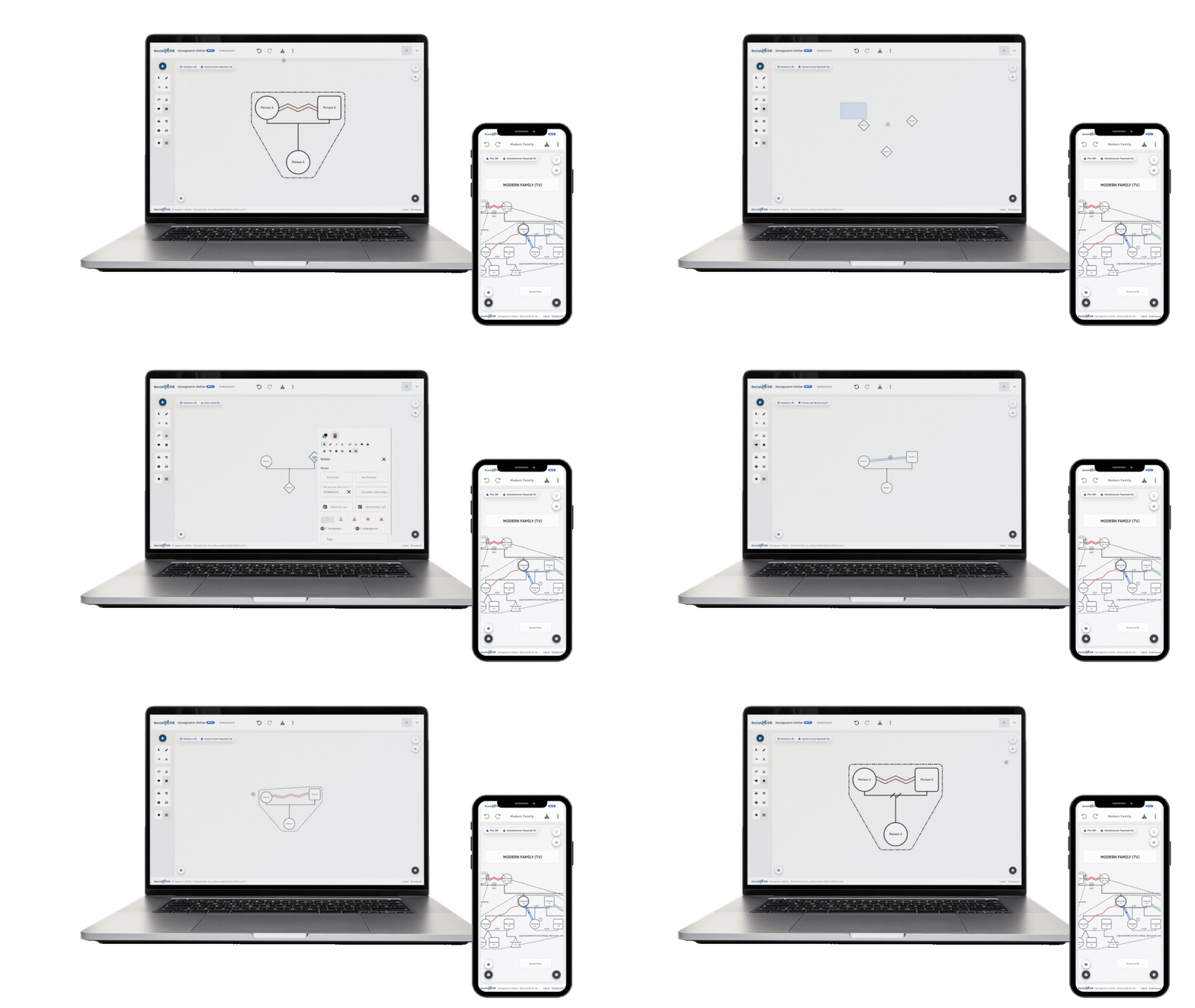
Visualising family systems - understanding dynamics
A genogram is more than just an ancestral chart. Our editor allows you to bring complex family systems and their network of relationships to life with just a few clicks.
Getting to the heart of relationships: Visualise emotional bonds, conflicts or ruptures using intuitive symbols and make invisible dynamics immediately visible.
Recognising transgenerational patterns: Trace behavioural patterns and themes across multiple generations to gain deeper insights into family history.
Flexible structure: Expand the system at any time to include new people or subsystems - the editor adapts to your conversation and the pace of your anamnesis.
Quick start
Interactive tutorial
To make it easy to get started, we have developed an interactive tutorial that explains click by click how everything works. Start individual lessons - or complete all the steps in one go.
Discover sample data
Would you like to see what a genogram can look like first? Use our sample data based on well-known examples, e.g:
Modern Family - The Simpsons - Family Guy - The Addams Family - The Flintstones - Arrested Development
Would you like more examples? Please feel free to send us your feedback.
Flexible export - for documentation and further processing
Your results need to go where they are needed. Our editor offers you the right formats for every application - in the highest quality and without any loss of quality.
Vector graphic (SVG): Ideal for razor-sharp printouts and scaling to any size. Perfect for professional reports and presentations.
Image file (PNG): The quick solution for inserting directly into your existing digital case documentation or Word documents.
Project file (JSON): Save your current work status as a JSON file. This allows you to load the project again at any time, edit it or archive it securely in your own systems.
Maximum compatibility: Use your data exactly as your everyday work requires - flexible, high-resolution and editable at any time.
Fully WinGeno compatible
We appreciate the pioneering work of Ingo H. de Boer, which has set the standard for digital genograms with WinGeno for decades. To support this proven standard, our tool Fully compatible with WinGeno files.
Seamless takeover: Import your existing WinGeno files with a simple click and continue working directly web-based without losing any time.
Professional continuity: Retain the casework you have developed over the years and use the familiar logic in a modern interface.
Maximum flexibility: Use your data from anywhere in your browser - without installing any software and fully GDPR-compliant.
We see this approach as a Continuation of the spirit and legacy from WinGeno: freely accessible, user-friendly support for all those who want to use genograms professionally.
Intelligent validation - ensuring technical logic
A precise genogram is the basis for any well-founded hypothesis. Our tool acts as your digital assistant and checks the structure of your presentation for logical consistency while it is being created.
Error prevention in real time: The system recognises structural inconsistencies - such as contradictory time sequences or incorrect links - and discreetly draws your attention to them.
Security for complex cases: Maintain an overview even with large multi-generation systems. Validation guarantees that your presentation remains technically reliable.
Professional documentation: Export only error-free results for your reports, supervisions or help plan discussions.
Data security as usual
Data protection is non-negotiable when it comes to sensitive client data. Our SocialDB Genogram Online saves all data on your computer!
No cloud storage: Your entries are never transferred to our servers or stored there. The processing takes place exclusively locally in your browser.
Full file control: Save states are stored as project files directly on your computer. You retain physical control over all case information, just like with local desktop software.
GDPR-compliant by design: As no personal data is processed centrally, the tool fulfils the highest requirements for confidentiality and data protection in a professional context.
Work safely without installation: Enjoy the benefits of a modern web tool without compromising on data security.
Integration in SocialDB
If you use SocialDB, you will be able to create genograms directly in your case file in future - without media discontinuity. The integration is already in progress and will follow shortly.
Frequently asked questions about SocialDB Genogram Online
Here you will find answers to the most frequently asked questions about SocialDB Genogramm Online. If your question is not listed, we will be happy to advise you personally.
Is the genogram tool free of charge?
Yes, the use of our online genogram editor is 100 % free of charge. You can create, edit and export your genogram directly as an image file without registering. There are no hidden costs or subscriptions. We provide this tool to support social care professionals in their valuable work and to give you an insight into the intuitive operation of our software world.
For users who not only want to export their genograms, but also store them permanently and legally securely directly in a digital case file, our SocialDB Software extended functions.
Why is it free - what's the catch?
We want to give something back because we see every day how much responsibility professionals in social work, counselling, education and therapy bear - and how valuable simple, reliable tools are in practice. That's why SocialDB Genogram Online free of charge and without registration usable; your data remains locally in the browser (without cloud).
Do I need to register / log in?
No, you can use the genogram tool immediately and without registration. No user account is required to start creating or download the finished result. We want to provide you with barrier-free access so that you can start your professional work straight away without losing any time.
Will my data be stored in the cloud?
No. The genogram is created completely locally in your web browser. No personal data is transferred to our servers or stored there in a cloud. As soon as you close the browser tab, the temporary data is deleted. This guarantees you maximum data security and full control when working with sensitive client data.
Can I open WinGeno files?
Absolutely! You remain completely flexible. Simply save your current status as .geno file locally on your device. If you want to add to or update the genogram at a later date, simply drag and drop this file back into SocialDB Genogram Online.
What export formats are available?
PNG: A classic image file that you can insert directly into your reports, Word documents or e-mails.
SVG: A lossless vector graphic that is particularly suitable for high-quality printouts or enlargements.
JSON (project file): This is the most important format for your work. Save your genogram as JSON file in order to load it back into the editor later. Only with this file can you open and edit existing family trees at a later date.
For which areas is the tool intended?
SocialDB Genogram Online is specially designed for professionals in the Social work, education, systemic counselling and psychotherapy has been developed. The tool supports you in particular with the professional Casework and documentation, to visualise complex family constellations, relationship dynamics and transgenerational patterns (e.g. in help planning or anamnesis) quickly and clearly. It also offers students and trainees in these fields a simple, free solution for creating professional genograms.
Can I depict emotional relationships and patterns?
Yes, absolutely. The tool has a special emotional layer, with which you can go far beyond purely factual family data. You can analyse complex relationship patterns such as Coalitions, triangulations and parentifications visually and precisely. This in-depth visualisation helps you to visualise family dynamics in systemic work and to develop well-founded hypotheses for your case work.
Is SocialDB and SocialDB Genogram Online the same thing?
No, these are two different solutions, but they complement each other perfectly:
SocialDB is our comprehensive, cloud-based client and case management software. It is used for complete documentation, billing and administration. The integrated, advanced AI functions are a particular highlight: SocialDB actively supports you in creating reports, analyses histories for well-founded case assessments and automates time-consuming administrative tasks.
SocialDB Genogram Online is a specialised tool for the graphical creation of family trees and relationships.
The speciality: While SocialDB is a holistic, AI-powered platform, it works SocialDB Genogram Online as a stand-alone, browser-based application. It is deliberately designed to work independently of a database - free of charge without registration and with local storage of the files on your computer.
What is a genogram?
A genogram is an extended representation of a family tree. It not only shows family relationships, but also important information about family structures, life events and relationships between family members.
You can find more background information here: Genogram (Wikipedia)
SocialDB Genogram Online
With SocialDB Genogram Online you can also create genograms with your smartphone. No annoying installations, just work natively.
How it works (quick start)
With SocialDB Genogram Online visualise family systems without any technical hurdles. The application is ready to use immediately and allows you to work intuitively directly in the browser - without any lengthy set-up processes or IT approvals.
You remain flexible at all times: as no registration is required, you can start working on the case without any detours. Your data never leaves your sphere of influence, as all processes take place exclusively locally in your browser. This is how SocialDB Genogram Online modern flexibility with the high data protection requirements in social work.
Start or import
Open SocialDB Genogram Online and create a new project with one click or drag and drop an existing WinGeno file directly into the window using drag-and-drop.
Set up the system intuitively
Create complex structures by simply clicking and dragging. SocialDB Genogram Online automates the layout while you effortlessly add people, organise subsystems and add biographical details.
Validate & refine
Use the Intelligent validation, to automatically detect structural errors. Add relationship lines and details to precisely map the network of relationships.
Save & Export
Save your work status locally as a JSON file so that you can edit it later, or export the finished genogram as a high-quality graphics (SVG/PNG) for your documentation.