

Login
SocialDB Logo - Management software for the social sector
Login

Updates

Welcome to the updates page of SocialDB, the software for the social sector. Here you'll find a comprehensive overview of all the new features and improvements we've introduced over time. Our updates are presented in short, easy-to-understand videos to help you stay up to date.

Whether you are just getting to know SocialDB or are already an experienced user, this page offers you valuable information. You can find out about the latest updates or browse through our archive to discover older updates from previous years.

Each update is accompanied by an interactive video playlist. You can click on the different modules to see and understand all the updates of the module.

We invite you to click through our updates and learn more about the continuous improvements and enhancements to SocialDB. Stay up to date and get the most out of SocialDB for your social needs.

2023

All updates from the year 2023

2022

All updates from the year 2022

2021

All updates from the year 2021

Documentation, reports, administrative work - In the social sector, there is often too little time in everyday working life for what really counts: working directly with clients.

Promoting individual development and building sustainable relationships are at the centre of professional social work. This is precisely where SocialDB AI to.

Our intelligent technology supports specialists in significantly reducing administrative processes and making documentation tasks more efficient - without losing sight of humanity.

Why SocialDB AI?

In social work, every minute counts.
Every minute that does not have to be spent on documentation is available for dialogue, guidance and support.

With SocialDB AI, we have developed a solution that minimises paperwork, automates processes and noticeably reduces the workload for specialists.

Your advantages at a glance:

✅ Time saving
Reduced manual documentation effort thanks to intelligent automation.

✅ AI-supported voice input
Efficient speech recognition enables structured documentation in real time - quickly, clearly and comprehensibly.

✅ More humanity
Less administrative work means more time for clients and high-quality support.

✅ Sustainable relief
Optimised processes reduce stress and create space for the core tasks of social work.

Developed with practical relevance - made for the social sector

SocialDB was specially designed for organisations in the social sector. The software combines many years of practical experience with modern AI technology and can be seamlessly integrated into existing workflows.

Whether care, youth welfare or other social services - SocialDB KI creates real freedom in everyday working life and adapts flexibly to different requirements.

What can you expect in the video?

Watch this video to find out:

  1. How AI support is specifically integrated into SocialDB
    and how it makes your daily documentation more efficient.
  2. Practical examples for optimised documentation
    with immediately realisable tips for your day-to-day work.
  3. How easy it is to implement in a team
    including accompanying training and support.

🎯 The future of the social economy is intelligent, efficient and human at the same time.
With SocialDB AI you reduce administrative work - and gain time for the essentials.

Individual videos with descriptions

No update videos were found

We have the Contingent overview in SocialDB has been fundamentally revised - with the aim of providing you with the quickest and most comprehensible overview of all contingents. The new view features a clear structure, intelligent colour codes and practical additional functions.

🔍 What's new?

1. Clear structure

The contingents are now arranged in such a way that you can recognise them immediately:

  • How much quota still available is,
  • how much already consumed was,
  • and what this means for you or your team.

Whether you need quick information or a detailed analysis - you can find everything at a glance.

2. Intuitive colour system

With the new Traffic light system you can see immediately where you stand:

  • 🟦 BlueEverything in the green zone - sufficient contingent available.
  • 🟨 YellowAttention - more than 90 % are used up.
  • 🟥 Red: The contingent is used up or exceeded.

This colour coding facilitates quick classification, especially in everyday life - without the need for a jungle of numbers.

3. Aliquot quota consumption

A real innovation: you see now, how much of the quota should already be used up by today, if it were distributed evenly over the period. This allows you to recognise at a glance whether you are „on target“ - or whether there is a need for action.

4. Helpful tooltips

Are you unsure about a term or a number? Simply move your mouse over it - and a brief explanation will appear directly in the system. This is particularly practical for new colleagues or rarely used areas.

5. Two new buttons for more control

  • „Show calculated quotas“Automatically turn calculated values on or off - exactly when you need them.
  • „Show contingent details“: Switch to the detailed view with all individual values and bookings - as you know them from before.

💡 Conclusion

The new contingent overview is not only more modern, but above all more functional and user-friendly. She will help you, make decisions faster, Keeping an overview and to plan ahead.

Try them out now - and feel free to give us feedback if you have any wishes or ideas for further improvements.

Individual videos with descriptions

No update videos were found

Efficient data management with the powerful table functions of SocialDB

With the versatile table functions in SocialDB, you can manage your data efficiently and keep an overview at all times. Thanks to individual customisation options and simple exports, you save valuable time in your day-to-day work.

Your advantages at a glance:
Flexible table views: Move columns, filter, group and insert totals rows - just as you need them.
Save individual settings: Save your favourite filters, groupings and views for reuse.
Data export made easy: Export filtered and grouped tables directly as a CSV file - including subcategories.
Intelligent grouping function: Automatically summarise identical values and display totals directly.

Work more efficiently - SocialDB makes your data management faster, clearer and more flexible.

Individual videos with descriptions

No update videos were found

Watch our video to find out how to enter public holidays correctly in SocialDB and why this is essential for accurate time recording.

🔍 What you can expect:
✅ Step-by-step: How to find the „Public holidays“ screen“
Simply import Austrian or SWÖ public holidays
Solution tips: If the mask is not visible
✅ Correctly check holiday and time entries on public holidays

💡 Tip: Always enter public holidays in good time so that they are automatically deducted from the target hours!

❓ Do you need support? Our support team is always there for you!

Individual videos with descriptions

No update videos were found

In this video, you'll get an overview of the structure of SocialDB and learn how to make the most of the main menu. 🚀

We show you, among other things:

✅ Like you Persons, Organisations or Masks at lightning speed with the intelligent Search function find
✅ Like you Notifications to make sure you don't miss any important information
✅ How to work with your team in the chat and the Online status keep an eye on
✅ Like you Time formats, Names and others Settings adapts to your way of working
✅ How to organise your Menu customise and create a better overview
✅ How you can Connection status at any time

Whether you're new to it or want to brush up on your skills - these tricks will help you use SocialDB even more efficiently! 💡

📺 Feel free to leave us feedback or ask your questions in the comments. More tutorials to follow!

Individual videos with descriptions

No update videos were found

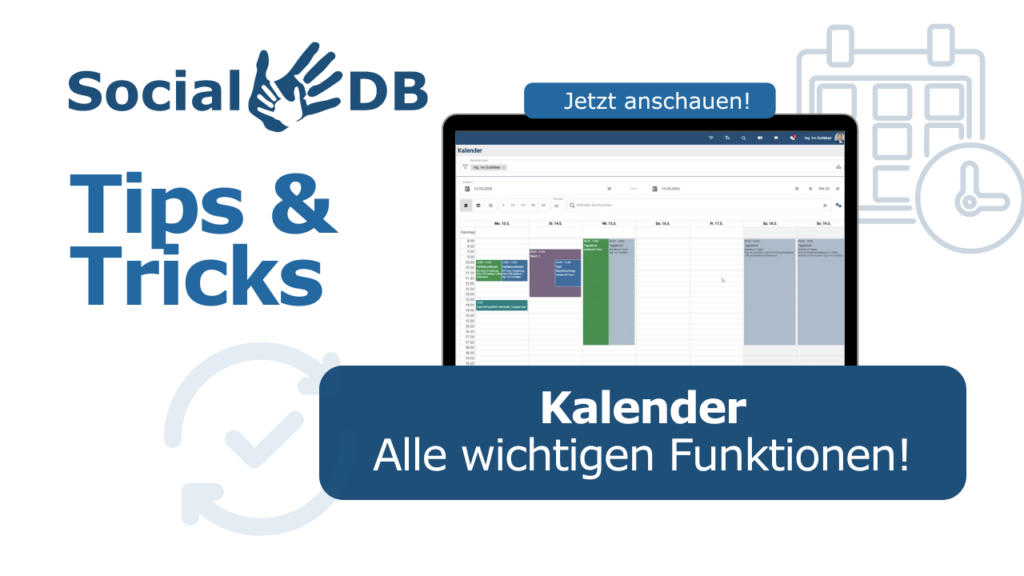
Welcome to our detailed introduction to the calendar module of our software! In this video, we show you how you can make the most of the calendar to efficiently manage your appointments, tasks and documentation.

Contents of the video:

  • User and time period selection: Learn how to switch between different users (for authorised users) and set the desired time period.
  • Navigation and viewing options: Use the back and forward buttons and the mode switch to switch between different calendar views.
  • Different calendar views:
  • Calendar view: The classic overview of your appointments in monthly or weekly format.
  • Table view: A detailed list of all entered appointments and events per day.
  • Progress documentation: A chronological presentation of all entries from the newest to the oldest.
  • Understand colour coding: Learn the meaning of the different colours to quickly distinguish between documentation entries, appointments, attendance lists, reservations, duty rosters, tasks and requests.
  • Use the search function: Find specific events such as „coffee machine“ or „interim service“ using the practical search bar.
  • Adjustment of the display intervals: Set the time intervals (e.g. 30 or 60 minutes) to customise the calendar view to your needs.
  • Show and hide areas: Customise your calendar view by switching certain areas on or off with a single click.
  • Printing options: Find out how you can print your calendar directly from the browser or as detailed history documentation.

At the end of the video we give you helpful tips on how to use the time period selection efficiently, including practical quick selection functions for the current week, month, quarter or year.

Do you have any questions? Feel free to write to us in the comments! We look forward to your feedback and will be happy to help you.

Have fun with the video and our other tutorials!

Individual videos with descriptions

In this video, we would like to introduce you to the most important changes and new functions included in the September 2024 update of SocialDB. These new features should help you to make your day-to-day work even more efficient and ensure that everything runs smoothly after the update 😊

1st persons Save:
A much-requested function is finally available: You can now save people directly - with the options „Save“ or „Save and new“. The difference? „Save“ creates a new person and takes you directly to the person view, while „Save and new“ saves the person and lets you create a new person. People can now be edited directly in the pop-up.

2. standard templates for invoices and enclosures:
We have added the option to store standard templates for invoices and enclosures based on the type of activity. This greatly simplifies the invoicing process as the system automatically selects the correct template. If no template is stored, you will be notified and can proceed manually as usual. Make sure that the templates are stored correctly in order to make optimum use of the new function.

3. invoice dispatch by e-mail:
Another new feature is the option to store standardised email templates for sending invoices. As soon as you click on the email address, a pre-formulated email opens that you only need to send. You can use various placeholders to customise the email:

  • [Customer name]
  • [Responsible-Department-Person]
  • [Street]
  • [Postcode city]
  • [UID]
  • [E-mail recipient]
  • [Invoice number]
  • [Invoice date]
  • [Performance period]
  • [Term of payment]
  • [Reference number]
  • [Net]
  • [Tax]
  • [Gross]
  • [Terms of payment]

These placeholders help you to automatically include all relevant information in the email, making invoicing even more efficient. Important note: You still have to add the attachments manually at the moment, but improvements are planned for the near future!

4. visual adjustments in the attendance list:
To make the „Connected organisational units“ field more visible, we have now placed it below the time selection. This means it is no longer so easy to overlook.

5. load organisational units:
When selecting organisational units, you can now also select subordinate organisational units. This makes it easier to navigate through complex structures, such as Outpatient -> Region X -> Team Z.

6. special entries in the calendar:
We have improved the display of special time recording types in the calendar. Such entries are now only displayed as all-day if they are actually all-day. This makes the display more precise and the exact duration of the entries is clearly visible.

7. revision of the cost centre input:
Cost centres can now be selected independently of user authorisations and displayed in their own fields. This improves the overview and ease of use.

That was our update for September 2024! As always, our support team will be happy to answer any questions you may have. Good luck with the new functions! 🚀

#SocialDB #Update #September2024 #SoftwareUpdate #Invoice dispatch #PpersonsSave #calendar #cost centres #attendance list #organisational units

Individual videos with descriptions

Video Playlist
1/4 videos
1
4 Practical examples: How SocialDB simplifies social work
02:34
2
Focus on care: How SocialDB changed Anna's everyday life!
01:22
3
What is SocialDB?
What is SocialDB?
02:13
4
How SocialDB is changing everyday working life in the social sector | SocialDB KI
01:18

You work hard to support people - let SocialDB help you focus on what really matters. Our short introductory video shows you how SocialDB can revolutionise your administrative tasks in the social care sector and give you more time for the important work of helping people. Take a look at the many possible applications of our software, from automating the logbook to simplifying complex documentation processes.

Video overview: Your advantages with SocialDB

  • 0:00 - Introduction to SocialDBDiscover how you can make more time for people in your organisation.
  • 0:25 - Amelie and the foolproof logbookSee how Amelie saves time with automated input.
  • 0:47 - Simplified documentation in the Alex children's homeFind out how the Alex children's home is making its documentation more efficient.
  • 1:10 - Astrid uses the comprehensive digital care fileWatch Astrid use the integrated dictation function to save valuable time.
  • 1:33 - Management revolution with payroll, with one clickLearn how easy it can be to manage payroll and working hours.
  • 2:02 - Conclusion: Efficiency and humanity with SocialDBA final overview of how SocialDB makes your organisation more efficient and human.

Your new partner in social services: Gutleben Systems With over a decade of experience in developing software solutions specifically tailored to the social sector, we are your ideal partner for more efficient workflows. Discover how SocialDB can give you more time for what really matters: people.

Individual videos with descriptions

In this video, we introduce you to SocialDB, the innovative software solution that gives social care professionals more time for what really matters - people.

What can you expect in this video?

📌 More time for people: Find out how SocialDB automates bureaucratic processes, giving you more time for direct client care.

📌 Efficient workflows: Discover how our software simplifies your documentation and administration tasks and optimises your workflows.

📌 Flexible and customisable: Whether your team consists of 5 or 1000 people, SocialDB adapts to your needs and helps you achieve your goals.

📌 Our commitment: We see ourselves not just as a software provider, but as your partner. Our aim is to understand your requirements and offer you the best possible solution.

Why SocialDB?

SocialDB digitises and automates your processes so you can focus on what's really important - caring for and supporting the people who need your help.

SocialDB - We digitise the social sector.

Individual videos with descriptions

This video introduces the SocialDB app, which is available in the iOS App Store and the Google Play Store. The app makes it possible to synchronise appointments and contacts and display them directly in the smartphone calendar. It also offers a chat function and extensive settings for synchronising data. Further information about SocialDB can be found on the website https://www.socialdb.at. SocialDB is a software solution specifically for the social sector, developed by Gutleben Systems. If you have any questions about the app or the web application, please post them in the comments.

Individual videos with descriptions

Video Playlist
1/8 videos
1

Litigation support Opferhilfe.justiz.gv.at - Configuration and billing
21:57
2
00:21
3
SocialDB app: your smart companion in the social sector
03:06
4
The calendar as a central overview
05:55
5
How SocialDB works: search, notifications, chat, settings and much more.
05:49
6
Enter public holidays correctly in SocialDB - important for your time recording
00:02
7
SocialDB table functions: Manage data efficiently & export easily
02:19
8
Ingeniously simple: how to see at a glance how much you have left
02:42
Here we explain the functions within SocialDB in detail

Individual videos with descriptions

Video Playlist
1/10 videos
1
More humanity despite digitalisation - Speaker presentation Keynote 5
09:03
2
Social technology: AI deployment with heart and mind - speaker presentation Keynote 4
15:36
3
Empowerment through digital storytelling - Speaker presentation Keynote 3
10:48
4
Digital knowledge transfer as a success story - speaker presentation keynote 2
14:20
5
Between pills and passwords - speaker presentation keynote 1
13:09
6
Digital innovations in the social economy: Announcement of the 2024 symposium
00:58
7

The complete speaker interview, now on our channel! 🌐😊
00:32
8
Data protection and IT security: A critical look at risks and opportunities in the digital age!
00:44
9
An inspiring podcast for aspiring social pedagogues and educators
00:42
10
The true meaning of digitalisation - more than just saving time
00:34

Individual videos with descriptions

Video Playlist
1/2 videos
1
SocialDB Login Update 23.10.2023
01:24
2
SocialDB - Login
SocialDB - Login
01:14

Individual videos with descriptions

Video Playlist
1/6 videos
1
SocialDB Update 01.06.2023 - 01 General information
09:15
2
SocialDB Update 01.06.2023 - 02 Time recording
04:32
3
SocialDB Update 01.06.2023 - 03 Applications
04:12
4
SocialDB Update 01.06.2023 - 04 Finance
07:47
5
SocialDB Update 01.06.2023 - 05 files
02:25
6
SocialDB Update 01.06.2023 - 06 Digital signature
03:22
At the beginning of June, a Update which includes the following improvements and enhancements in the new SocialDB includes:

General information 

  • New input fields: New input fields in the entire SocialDB (previously only in a few masks, e.g. enter time)
  • User:inside setting: It is now possible to transfer the description from events to time entries

Time recording

  • Enter timeSave template
  • Working time warnings: Display of working time violations, warnings as a new column in Entries and Working hours overview

Applications

  • Main menu item ApplicationsThere is now a separate main menu item for the Applications module, including submenu items
  • Submenu items ApplicationsApplications can now be viewed in the following masks: Requests overview, Open requests, Requests addressed to me and My requests

Finances

  • Correct invoices: the function is now also available in the SocialDB, e.g. for retroactive offsetting of retroactively changed prices
  • Invoice recipient:in: Option to select the billing address if several addresses are stored for the recipient
  • Taxes: can now also be created and edited in the new SocialDB
  • Control codeTax codes for expenses and invoices can be stored for taxes (for accounting exports)

Files

  • Files: several files as Download zip file, assign file tags and connections to several files at once

Signatures

  • New masks: Selection option for Display of my time entries without selecting a relevant person (e.g. for substitutions)
  • Automatic Selection of unsigned Time entries

The aforementioned Changes concern only the new SocialDB, no changes have been made in SocialDB 2o2o. Should you Questions to the changes and/or New functions for your organisation implement we will be happy to help you.

Individual videos with descriptions

Video Playlist
1/6 videos
1
SocialDB Update 01.03.2023 - 01 General information
05:31
2
SocialDB Update 01.03.2023 - 02 persons
05:33
3
SocialDB Update 01.03.2023 - 03 Events
04:06
4
SocialDB Update 01.03.2023 - 04 Time recording
02:42
5
SocialDB Update 01.03.2023 - 05 contracts
07:27
6

SocialDB Update 01.03.2023 - 06 Finance
06:04

An update was installed at the beginning of March, which includes the following improvements and enhancements in the new SocialDB:

General information

  • Comment functionfor tasks and applications
  • Copy function: more user-friendly operation for copying events, contracts, expenses and invoices
  • Video about the adjustments General

Persons and organisational units

Events

  • Create eventLocation selection from the contact data of the associated organisational units and persons
  • New masks: Event types and contact data types now available in the new SocialDB
  • Video about the adjustments Events

Time recording

  • Working hours overviewnew columns - Warnings, Associated organisational unit, Internally responsible person
  • Selection User:inDaily view, entries, logbook and evaluation same selection adopted
  • Video on the adjustments to time recording

Contracts

  • Copy contracts
  • Contracts overviewnew columns: Care in days, gender, socio-demographic data
  • Contract reviewnew column period quota yes/no
  • AliquotationsFor type of activity, you can set whether times are to be allocated on a pro rata basis or not (used for quotas and payroll)
  • Video about the contract adjustments

Finances

  • BillingManual billing of expenses is now possible in the new SocialDB
  • BillingManual contract accounting extended to the relevant organisational units
  • BillingBilling screen - adjustments in relation to speed, viewing of billed entries
  • Video on the financial adjustments

The changes mentioned above only affect the new SocialDB, no changes have been made to SocialDB 2o2o. If you have any questions about the changes and/or would like to implement new functions for your organisation, please do not hesitate to contact us.

Individual videos with descriptions

We would like to introduce you to the new Applications module. This enables you to apply for holidays, sick leave, special leave or care leave. The administration can easily approve these and they are converted into time entries.

Individual videos with descriptions

Video Playlist
1/5 videos
1
SocialDB Update 01.02.2023 - 01 General information
05:25
2
SocialDB Update 01.02.2023 - 02 Events
10:26
3
SocialDB Update 01.02.2023 - 03 Persons and organisational units
03:38
4
SocialDB Update 01.02.2023 - 04 Finance
02:24
5
SocialDB Update 01.02.2023 - 05 issues
05:54

Individual videos with descriptions

Video Playlist
1/5 videos
1
SocialDB Update 02.12.2022 - 01 General information
03:43
2

SocialDB Update 02.12.2022 - 02 Time recording
06:19
3
SocialDB Update 02.12.2022 - 03 Persons and organisational units
02:22
4
SocialDB Update 02.12.2022 - 04 Contracts
01:15
5
SocialDB Update 02.12.2022 - 05 Finance
02:12

Individual videos with descriptions

Video Playlist
1/5 videos
1
SocialDB Update 22.10.2022 - 01 General information
04:58
2

SocialDB Update 22.10.2022 - 02 Time recording
10:42
3
SocialDB Update 22.10.2022 - 03 persons
10:05
4
SocialDB Update 22.10.2022 - 04 Finance
05:17
5
SocialDB Update 22.10.2022 - 05 Contracts, files, expenses, attachments
04:38

Individual videos with descriptions

Video Playlist
1/1 videos
1
SocialDB Update 16.08.2022 - General, contracts, time recording
02:53

Individual videos with descriptions

Video Playlist
1/4 videos
1
SocialDB Update 24.06.2022 - 01 General information
07:31
2
SocialDB Update 24.06.2022 - 02 Time recording
04:45
3
SocialDB Update 24/06/2022 - 03 attachments
06:56
4
SocialDB Update 24.06.2022 - 04 Finance
03:39

Individual videos with descriptions

Video Playlist
1/4 videos
1
SocialDB Update 03.05.2022 - 01 General information
08:11
2
SocialDB Update 03.05.2022 - 02 Time recording
06:23
3
SocialDB Update 03.05.2022 - 03 issues
03:59
4
SocialDB Update 03/05/2022 - 04 Accounting, Finance
03:43

Individual videos with descriptions

Video Playlist
1/4 videos
1
SocialDB Update 01.04.2022 - 01 General information
02:07
2
SocialDB Update 01.04.2022 - 02 Time recording
04:42
3
SocialDB Update 01.04.2022 - 03 Contracts
02:54
4
SocialDB Update 01.04.2022 - 04 Finance, Accounting
02:53

Individual videos with descriptions

Video Playlist
1/5 videos
1
SocialDB Update 02.03.2022 - 01 General information
01:40
2
SocialDB Update 02/03/2022 - 02 Contracts: Quotas & aliquotation
05:48
3
SocialDB Update 02.03.2022 - 03 issues: Aliquotation, contract billing
02:37
4

SocialDB Update 02.03.2022 - 04 Finance: Settlement
10:01
5

SocialDB Update 02.03.2022 - 05 Finance: Files for invoices
08:04

Individual videos with descriptions

Video Playlist
1/5 videos
1
SocialDB Update 10.01.2022 - 01 Persons and organisational units
02:52
2
SocialDB Update 10.01.2022 - 02 Time recording
02:11
3
SocialDB Update 10.01.2022 - 03 Events
01:42
4
SocialDB Update 10.01.2022 - 04 Contract, rules
02:31
5
SocialDB Update 10.01.2022 - 05 Accounting, cost centres
01:37

Individual videos with descriptions

Video Playlist
1/8 videos
1
SocialDB Update 23.12.2021 - 01 General information
02:19
2
SocialDB Update 23.12.2021 - Enter 02 time
04:47
3
SocialDB Update 23.12.2021 - 03 Time recording
04:02
4
SocialDB Update 23.12.2021 - 04 Persons and organisational units
03:35
5
SocialDB Update 23.12.2021 - 05 files
02:32
6
SocialDB Update 23.12.2021 - 06 contracts
04:28
7
SocialDB Update 23.12.2021 - 07 Planning & attendances
09:40
8
SocialDB Update 23.12.2021 - 08 Working time models
10:59

Individual videos with descriptions